
Bergo backs up your Windows PC to your NAS, another PC, a network folder or a USB drive – as soon as something changes. Your phone’s photos and videos join them over your home Wi-Fi, and what you rarely need you archive, verified, to a drive of your own.
Your data, safely kept.
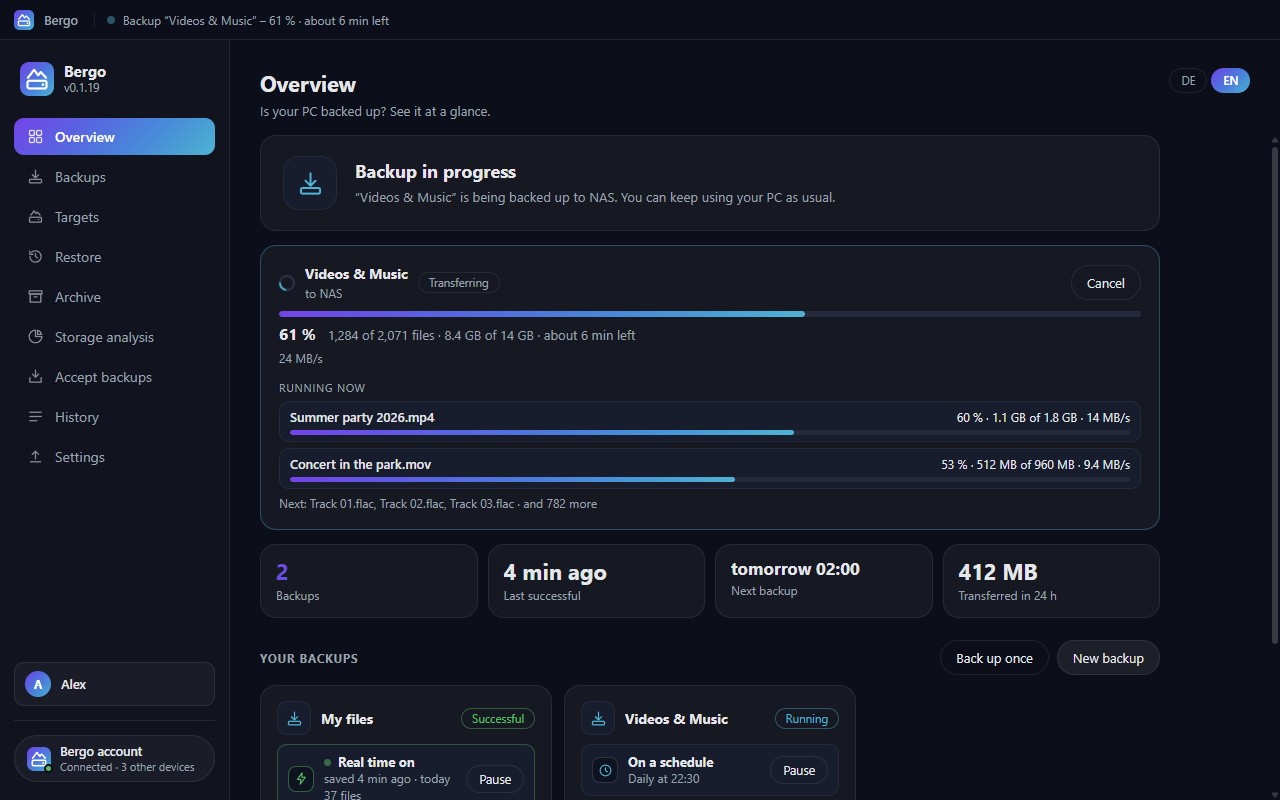
Bergo notices changes right away and backs them up – plus one check run a day. To the station, another PC, a network folder or a USB drive.
Every run is a point on the timeline. Bring back single files or whole folders, including older versions.
The storage analysis shows in the background what takes up the most space and suggests what you don’t need to back up.
Phones upload photos and videos over your home Wi-Fi to the station or a PC running Bergo via WebDAV or SMB – never through a cloud. The Bergo app for Android and iPhone, which can also back up folders and contacts, is coming soon.
Move data, verified, to a drive of your own and then free up space on the PC or in the backup.
On a NAS, Raspberry Pi or server with Docker – your data stays in your network.
| v0.1.18 12.10.2026 |
Bergo-Setup-0.1.18.exe · 120,9 MB Herunterladen What changedImproved: Help & feedback in the browser.
|
| v0.1.17 12.10.2026 |
Bergo-Setup-0.1.17.exe · 120,9 MB Herunterladen What changedNew: Help & feedback right inside Bergo.
|
| v0.1.16 12.10.2026 |
Bergo-Setup-0.1.16.exe · 120,9 MB Herunterladen What changedBergo stays connected when bergo.winku.de has a hiccup.
|
No reviews yet – be the first to review Bergo.
 Every backup at a glance: what, where and how often
 Go back in time and get deleted or older files back
 See what eats up space – and what doesn't need a backup
 Use your PC as the backup target for your phone and laptop
 Set up in a few steps – the important folders are already picked
 Report a bug, send feedback or get help – right in Bergo
 The Bergo app for iPhone and Android – Back up photos and videos on your home Wi-Fi – straight to your own NAS
 Made for iPad, too – Two columns on the big screen: settings and where your files go, side by side
 Widgets for your home screen – See what’s waiting – and back up with one tap. (Android)
On the Windows PC you want to back up, and sign in with your Winku account.
It asks what you have in mind, connects your account, shows how to install the station and tests each target.
Starts right away – after that Bergo backs up changes on its own, plus one check run a day.
Alle Downloads sind mit SHA256-Prüfsumme versehen.
Bergo comes as a program and in the browser. Both lead to the same account.
Improved: Readability in setup, storage analysis and overview.
For advanced users: the file’s checksum must match exactly — this confirms the download is unchanged.
090179fd4857384bf0f4775364572debb66186ed423c0383baf9c51d3ad75af2Verify on Windows (PowerShell): Get-FileHash "Bergo-Setup-0.1.19.exe" -Algorithm SHA256
No. Backups travel inside your home network directly from device to device. winku.de only knows your devices, their addresses on your home network and short reports without file names.
No. Bergo also backs up to a network folder, another PC or a USB drive. The station adds phone uploads and archiving on your NAS.
Yes. The current state is stored as ordinary folders, with the safety net and older versions next to it by date.
No, on purpose. The Bergo app only uploads over your home Wi-Fi, directly to your station or PC – never over mobile data, a VPN or the internet.
For everyday use, yes; for what really matters, no: keep a second copy in another place and check now and then that everything can be restored.
Docker is a trademark of Docker, Inc. Raspberry Pi is a trademark of Raspberry Pi Ltd. Windows is a trademark of Microsoft Corporation. Apple, Mac, macOS, iPhone, iPad and App Store are trademarks of Apple Inc. Google Play and Android are trademarks of Google LLC. WhatsApp is a trademark of WhatsApp LLC. Bergo is not affiliated with these companies.


