
What got blocked.
On the page you are on.
Vetra brings your own AdGuard Home instance into the browser toolbar: one click shows every DNS query of the open page, the rule that matched, and lets you allow or block right there.
What Vetra can do
Was dein AdGuard Home blockiert — direkt in der Browserleiste
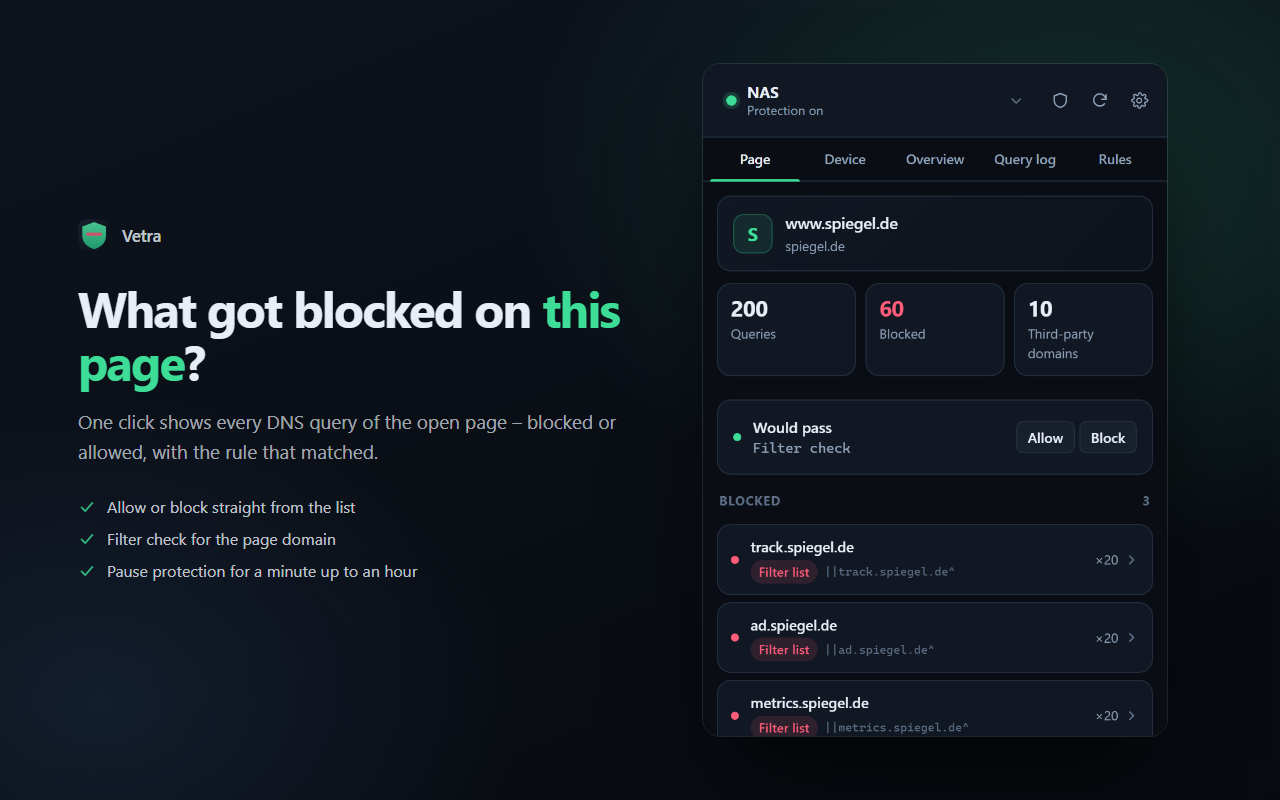
This page, at once
Every DNS query of the open domain, split into blocked and allowed — with the matching rule spelled out next to it.
Allow or block
Both straight from the list. If a custom rule already exists, the same button undoes it.
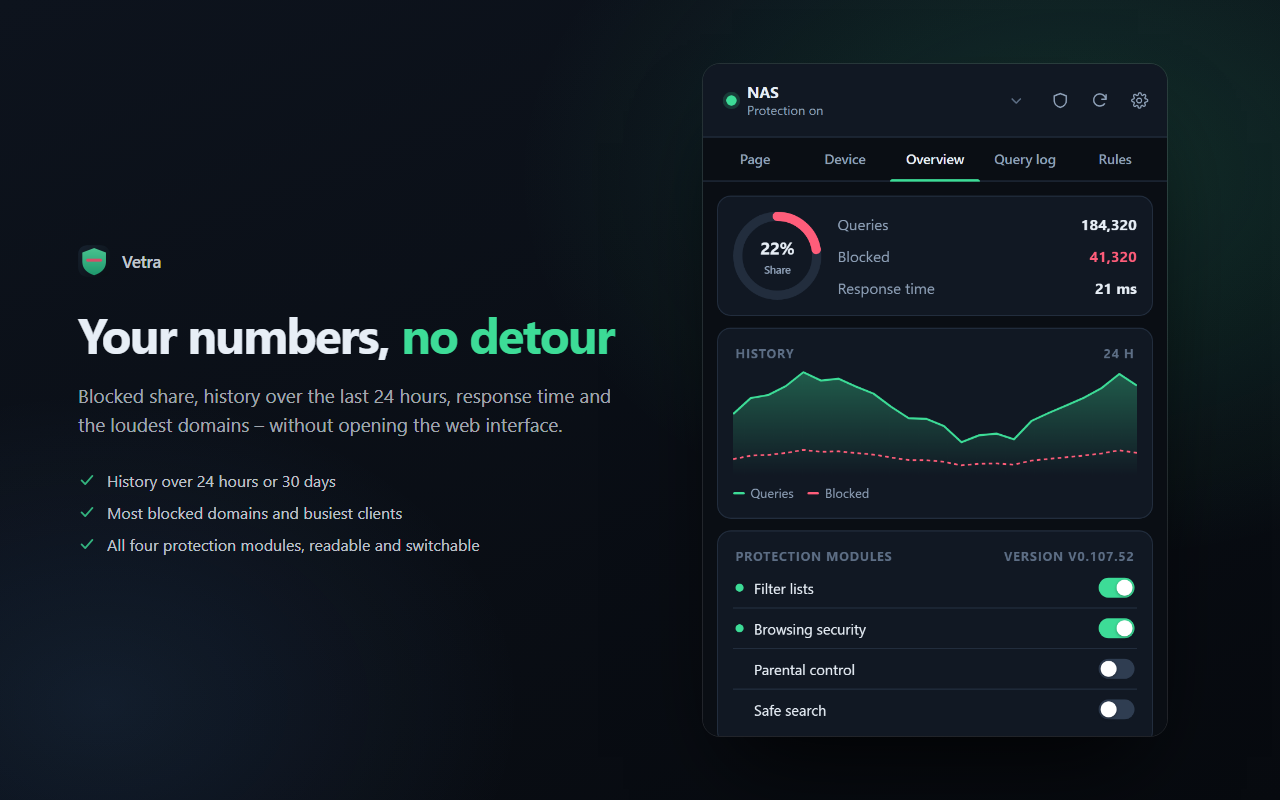
Your numbers, no detour
Blocked share, history over 24 hours or 30 days, response time, the loudest domains and busiest clients.
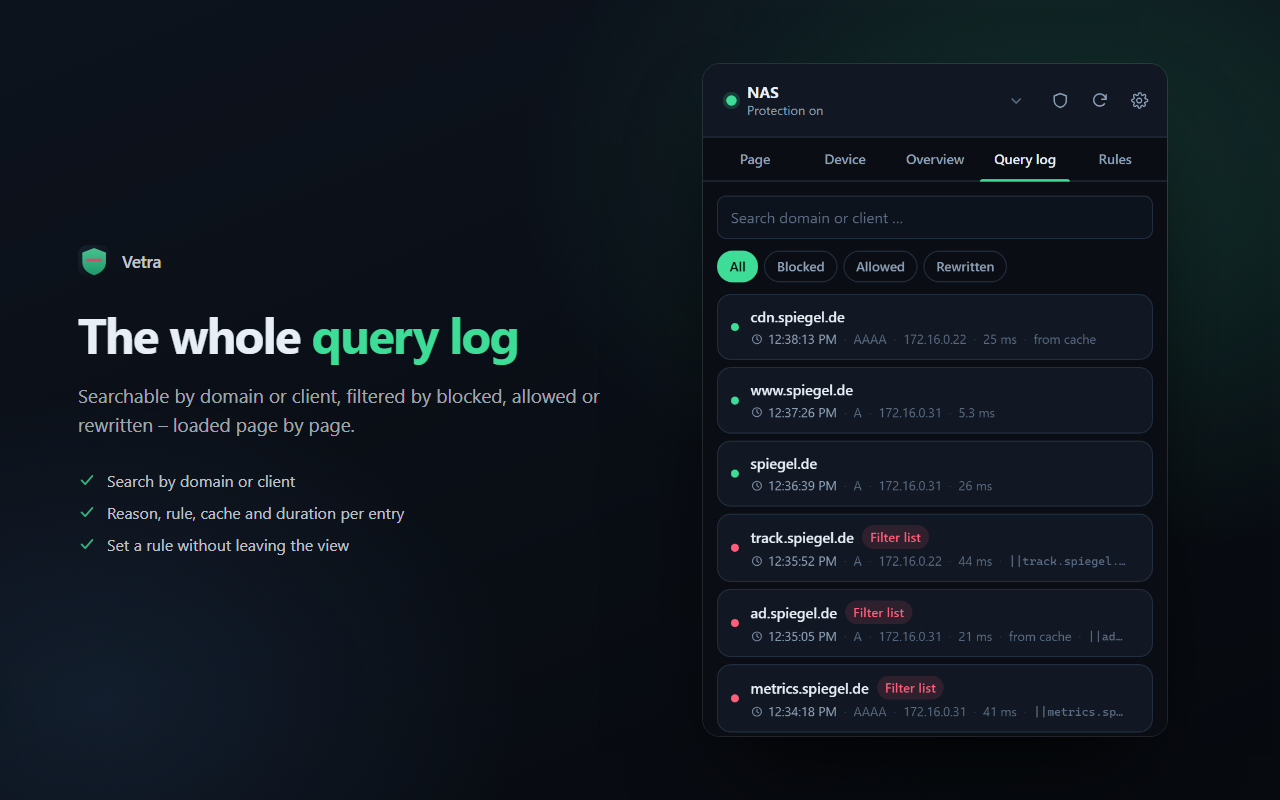
The whole query log
Searchable by domain or client, filtered by blocked, allowed or rewritten.
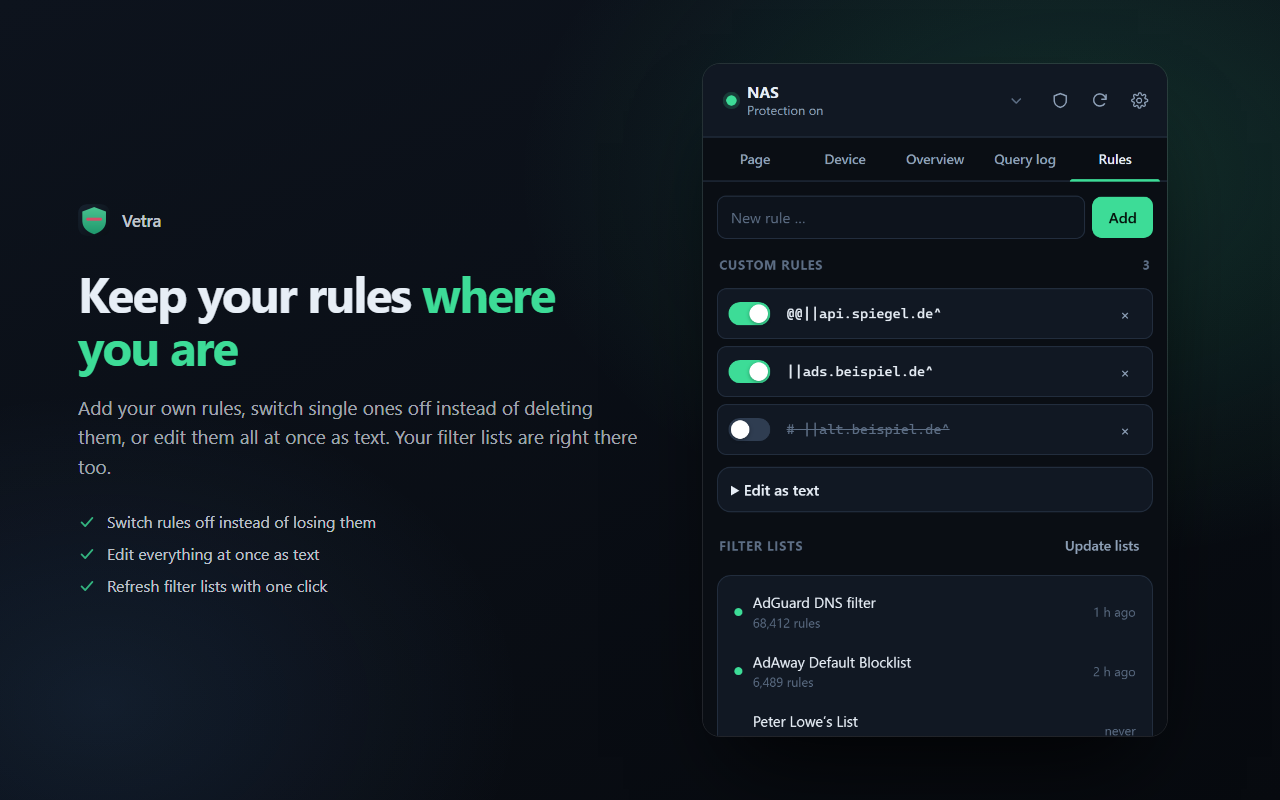
Keep your rules
Add custom rules, switch them off instead of deleting them, or edit them all as text.
Never connects on its own
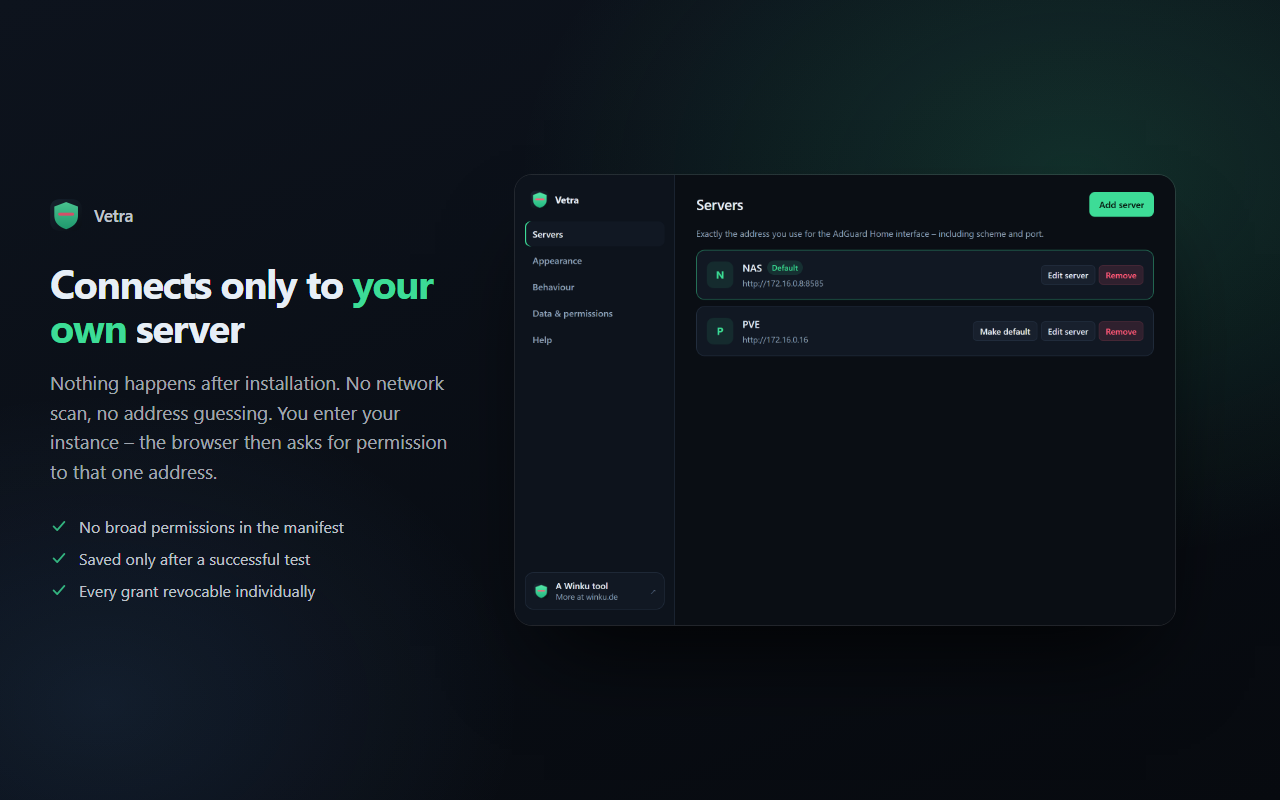
No network scan, no address guessing. You enter your instance, then the browser asks for permission to that one address.
Reviews
No reviews yet – be the first to review Vetra.
Vetra in action
How it works
Install the extension
From your browser's store. Nothing happens after that.
Enter your server
Address, user and password of your AdGuard Home interface, then “Test connection”.
Grant access
The browser asks once for access to that exact address. Only then is anything saved.
Done
The toolbar icon shows what was blocked today. One click opens the rest.
Vetra
Vetra installs into the browser, not onto your machine. It needs an AdGuard Home instance of your own — Vetra does not run one.

System requirements
- Chrome, Edge, Brave or Opera (Manifest V3)
- An AdGuard Home instance of your own, reachable on the same network
- The credentials of its web interface
- No Winku account needed
Where to get Vetra
Frequently asked questions
Do I need a Winku account?
No. Vetra has no sign-in and no account. It talks only to the AdGuard Home address you enter yourself.
Can Vetra work without my own AdGuard Home?
No. Vetra is a front end for an instance you run yourself — it does no filtering of its own.
Why is my query log empty?
Then this machine does not resolve through AdGuard Home — for example because the browser uses DNS-over-HTTPS directly. Vetra says so on the page.
Does Vetra see which sites I visit?
When you open the panel it reads the current tab's domain, to fetch exactly that domain's log from your instance. It is stored nowhere and sent to nobody but your own instance.
Is any data sent to Winku?
No. There is no vendor server, no analytics and no sharing. Everything stays between your browser and your device.
Which AdGuard version is required?
Tested with AdGuard Home 0.107. Older builds lack some features — Vetra hides them instead of failing.
AdGuard and AdGuard Home are trademarks of AdGuard Software Ltd. Vetra is an independent Winku tool, has no connection to AdGuard and is neither published nor endorsed by them.