
Bildschirm aufnehmen und automatisch auf die Aktion heranzoomen: Am Ende steht ein modernes Video mit weichen Kamerafahrten – ohne Videoschnitt. Der automatische Erklärtext folgt nach der ersten Version.
Bildschirmaufnahmen, die von selbst auf die Aktion heranzoomen
Luvia wird Bildschirm und Bedienung aufzeichnen und daraus direkt ein fertiges Video machen. Für den Feinschliff wird es ein Studio mit Zeitleiste geben — nötig ist es nicht.
Wo du klickst, fährt die Kamera weich heran und wieder heraus. Zuschauer sehen genau die Stelle, um die es geht.
Federnde Kamerafahrten mit Bewegungsunschärfe statt harter Sprünge – das Ergebnis wirkt wie von Hand animiert.
Aufnahme, Analyse und Rendern laufen lokal, deine Aufnahmen werden nicht hochgeladen. Nur die Anmeldung läuft über dein Winku-Konto.
Kein Abo, keine Wasserzeichen im fertigen Video.
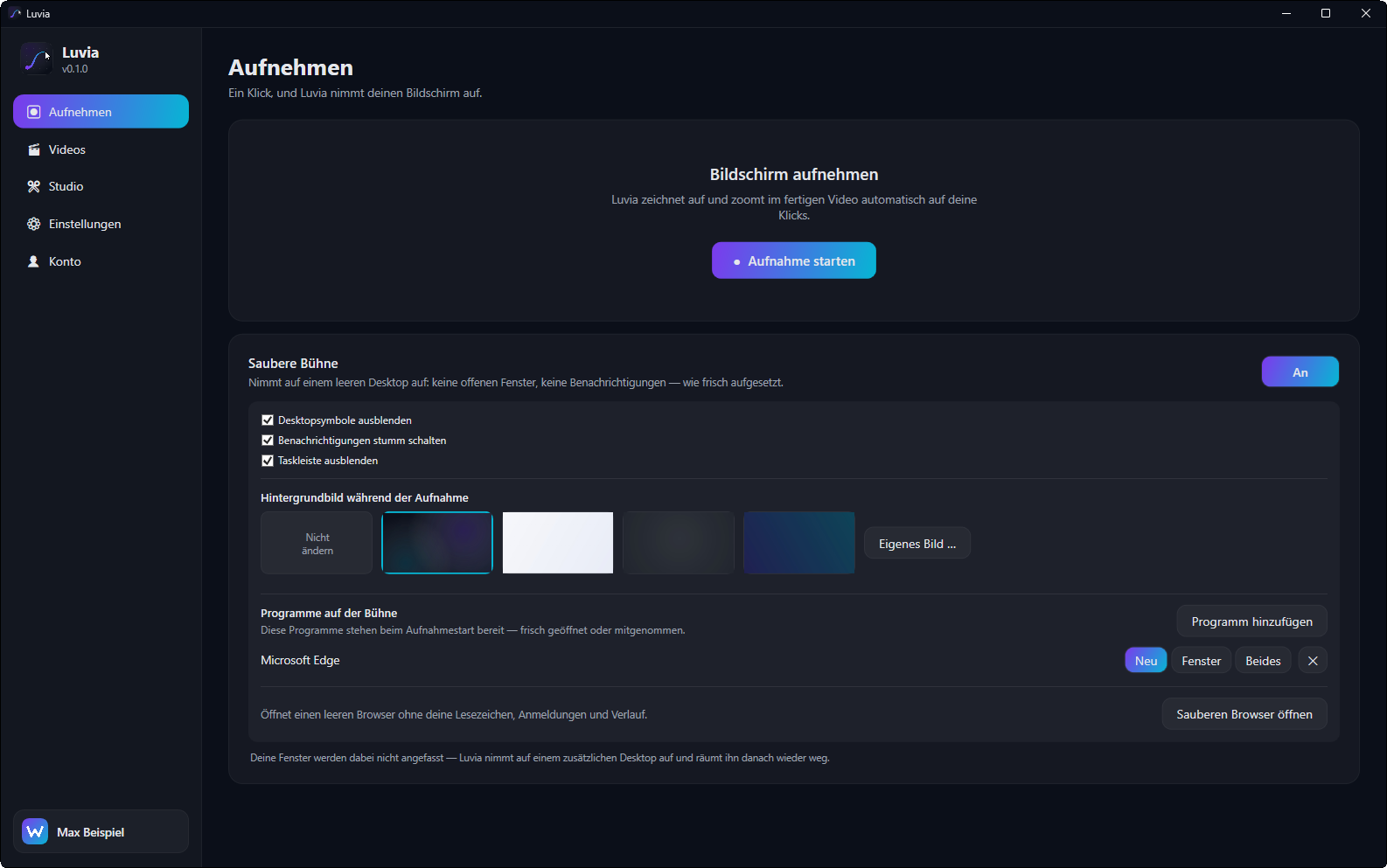
Auf Wunsch wird Luvia auf einem leeren Desktop aufnehmen: keine fremden Fenster, keine Symbole, keine Benachrichtigungen. Deine eigenen Fenster bleiben unangetastet, danach ist alles wie vorher.
Nach der ersten Version: Luvia liest über die Windows-Bedienungshilfen aus, welches Element du bedient hast, und beschreibt den Schritt in Worten. Die Grundlage dafür ist gemessen – bei 21 von 25 angeklickten Bedienelementen lieferte die Erkennung brauchbaren Text (84 %), über zehn Programme hinweg rund 87 %.
Noch keine Bewertungen – sei die erste Person, die Luvia bewertet.
Melde dich an oder erstelle ein kostenloses Konto, um Luvia zu bewerten.
 Im fertigen Video fährt die Kamera weich an das angeklickte Bedienelement heran.
 Studio: Zeitleiste mit Filmstreifen, Zoom-Momenten, Ton- und Textspur.
 Alle Aufnahmen mit Vorschaubild — bei Mauskontakt läuft eine kurze Vorschau.
 Einstellungen für Bildrate, Auflösung, Qualität, Zoom-Stärke sowie Mikrofon und Wiedergabegerät.
 Anmeldung mit dem Winku-Konto, Update-Kanal und Versionsverlauf.
Ein Klick nimmt den Bildschirm auf. Auf Wunsch auf einer sauberen Bühne: leerer Desktop, keine fremden Fenster, keine Benachrichtigungen.
Luvia merkt sich deine Klicks und liest über die Windows-Bedienungshilfen mit, welches Bedienelement du getroffen hast.
Aus Klicks und Mausspur entstehen die Zoomfahrten von selbst, mit federnder Kamera und Bewegungsunschärfe.
Im Studio lassen sich Stellen herausschneiden, das Tempo ändern, Texte einblenden und ein Kommentar aufsprechen.
Der Download steht noch nicht für alle bereit. Sobald es so weit ist, erscheint er hier.
Andere Dienste ansehenLuvia ist gratis, ohne Abo und ohne Wasserzeichen.
Ja. Aufnahme, Analyse und Rendern passieren vollständig auf deinem Rechner; es wird nichts hochgeladen.
Noch nicht. Die erste Version ist der Recorder mit automatischem Zoom; der geschriebene Erklärtext kommt danach. Die Grundlage ist bereits gemessen: Bei 21 von 25 angeklickten Bedienelementen lieferte die Erkennung brauchbaren Text (84 %), über zehn Programme hinweg rund 87 %.
Das betrifft Web-Inhalte und Zeichenflächen. Für diese Fälle ist eine Bilderkennung als Rückfall vorgesehen; ansonsten lässt sich der Text von Hand ergänzen.
Nein. Genau das ist der Punkt: Das fertige Video entsteht aus der Aufnahme, Nacharbeit ist möglich, aber nicht nötig.
Luvia ist in Entwicklung. Die Grundlagen sind geprüft, an der ersten Version wird gearbeitet – sie erscheint hier, sobald sie fertig ist.
Windows ist eine Marke der Microsoft Corporation. Luvia steht in keiner Verbindung zu Microsoft und wird von Microsoft weder unterstützt noch geprüft.


